
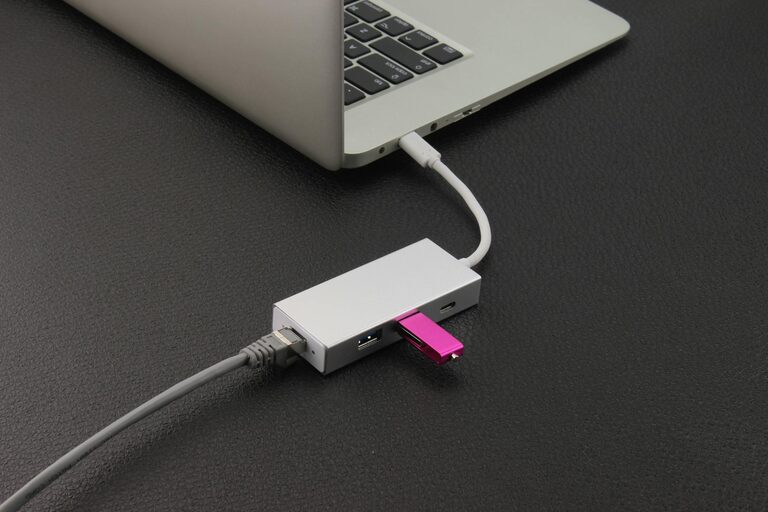
Setting up a dedicated charging station for your devices is a smart way to keep your home organized and ensure all your gadgets stay powered up. Whether you have smartphones, tablets, wireless earbuds, or smartwatches, having a central spot to charge everything reduces clutter and saves time.
In this guide, we’ll walk you through the essentials of creating your own charging station, including choosing the right location, selecting chargers and accessories, and tips for organizing cables neatly.
Why Set Up a Charging Station?
Before diving into the setup process, it’s helpful to understand the benefits:
– Convenience: Keep all your devices charging in one place.
– Organization: Avoid tangled cables and cluttered surfaces.
– Efficiency: Use multi-port chargers to reduce the number of outlets needed.
– Safety: Properly manage power adapters and cables to prevent hazards.
Now, let’s get started on building your charging station.
Step 1: Choose the Right Location
Selecting the best spot for your charging station depends on your daily routine:
– Accessible Area: Pick a place you frequent, like your desk, living room side table, or kitchen counter.
– Near Power Outlets: You’ll need outlets nearby for plugging in chargers.
– Flat Surface: Ensure the surface is stable and can hold your devices safely.
– Away from Heat or Moisture: Avoid areas exposed to direct sunlight, heat sources, or moisture to protect electronics.
Step 2: Decide Which Devices to Include
Make a list of all the devices that need charging regularly, such as:
– Smartphones
– Tablets
– Laptops (if compatible with your charger setup)
– Wireless headphones or earbuds
– Smartwatches
– Portable battery packs
Grouping devices helps you determine what types of chargers and cables you’ll need.
Step 3: Select Chargers and Power Sources
Multi-Port USB Chargers
Using a multi-port USB charger is an efficient way to power multiple devices at once. Look for chargers with:
– Enough USB-A and USB-C ports for all your gadgets.
– Fast charging capability if your devices support it.
– Safety features like surge protection and temperature control.
Wireless Charging Pads
If many of your devices support wireless charging, consider adding a wireless charging pad or stand. This reduces cable use and allows easy placement.
Power Strips with USB Ports
A power strip with built-in USB ports can be helpful if you still need outlets for other devices. Choose one with surge protection.
Step 4: Organize and Manage Cables
Cables can quickly become messy and tangled, but good management keeps your station tidy.
Tips for Cable Management
– Cable Ties or Velcro Straps: Bundle excess cable lengths neatly.
– Cable Clips or Holders: Attach these to the edge of a desk or wall to keep cables accessible.
– Label Cables: Use small labels to identify which cable matches which device.
– Cable Sleeves: For multiple cables running together, a sleeve helps keep them contained.
– Use Shorter Cables: If possible, choose cables that match the needed length to reduce clutter.
Step 5: Arrange Your Charging Station
Consider using small containers, trays, or stands to keep devices upright and separated.
Suggested Accessories
– Phone and Tablet Stands: Hold devices at a comfortable viewing angle.
– Drawer or Box: Hide plugs and adapters for a cleaner look.
– Shelf or Small Table: Dedicate a small piece of furniture if space permits.
Arrange items so devices won’t block each other or generate excessive heat.
Step 6: Keep It Clean and Maintain
To keep your charging station effective:
– Regularly wipe down surfaces to remove dust.
– Check cables for wear and replace if damaged.
– Avoid overcrowding to reduce heat buildup.
– Unplug chargers when not in use if safety is a concern.
Bonus Tips
– If sharing the charging station in a family or office, consider adding name tags or color-coded cables.
– Take advantage of smart plugs or timers to schedule charging and save energy.
– Use cable organizers with adhesive backing if wall or desk mounting is desired.
—
Setting up a charging station is a simple project with big benefits in daily tech use. With the right location, chargers, and organization, you’ll enjoy a clutter-free space and never scramble for a dead device again. Try out these tips and adapt your setup as your device collection grows!